Description
5-port Ethernet expansion for ROVs
Switch board or switch + tether interface board
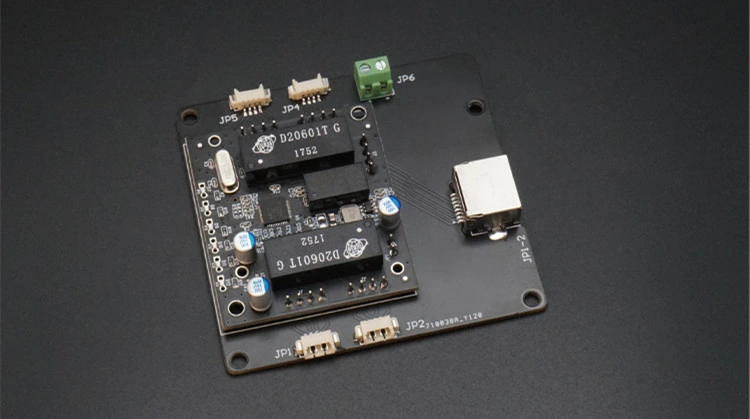
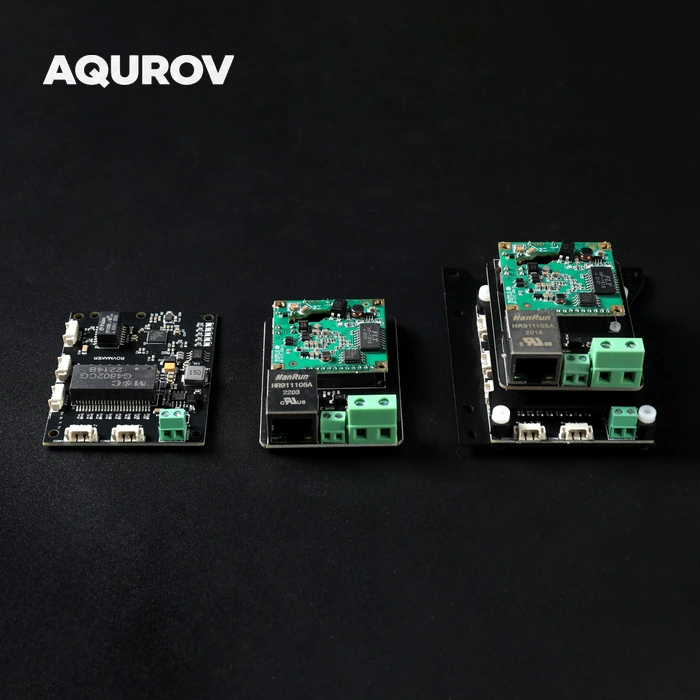
Build a compact onboard Ethernet network for cameras, sonars, computers and other compatible accessories. The five-port switch provides local network expansion, with a combined option that adds the tether interface board.
Choose the board option for your communication system, then use the connector layout and original dimensional drawing below to plan the installation.
Key features
Five advantages for compact ROV networks
-
Multiple Ethernet devices
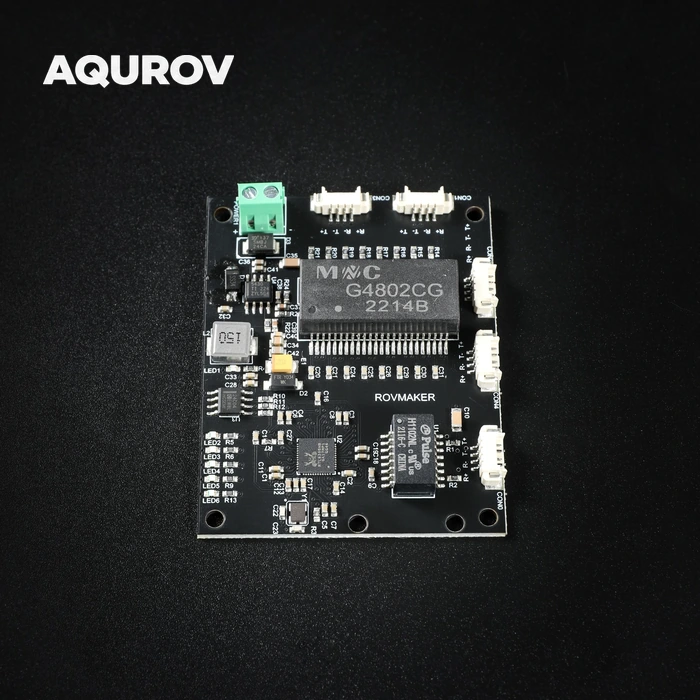
Connect compatible network devices at the same time through four MX1.25 Ethernet ports and one RJ45 port.
-
Plug-and-play switching
No switch configuration is required. Connect compatible devices without a switch setup procedure; configure the network settings of the devices as needed.
-
Compact size, low power
A 70 × 74 mm board footprint and approximately 1 W consumption suit the confined space inside watertight electronics enclosures, with a documented 12 V working supply.
-
Ethernet for cameras and sonars
10/100 Mbps Ethernet supports integration of compatible high-definition IP cameras and collision-avoidance sonars. Match the connected devices’ combined data rates to the available link bandwidth.
-
Custom tether communication options
Power-line-carrier or fibre-optic communication configurations can be customised for project-specific underwater communication requirements.
Automatic switching and status indication
The switch uses store-and-forward operation, learns and updates MAC addresses automatically, and negotiates the transmission rate. The power indicator stays on; five port indicators flash during data transfer. Automatic port energy adjustment supports low-power operation.
Choose your configuration
Switch-only and combined assemblies
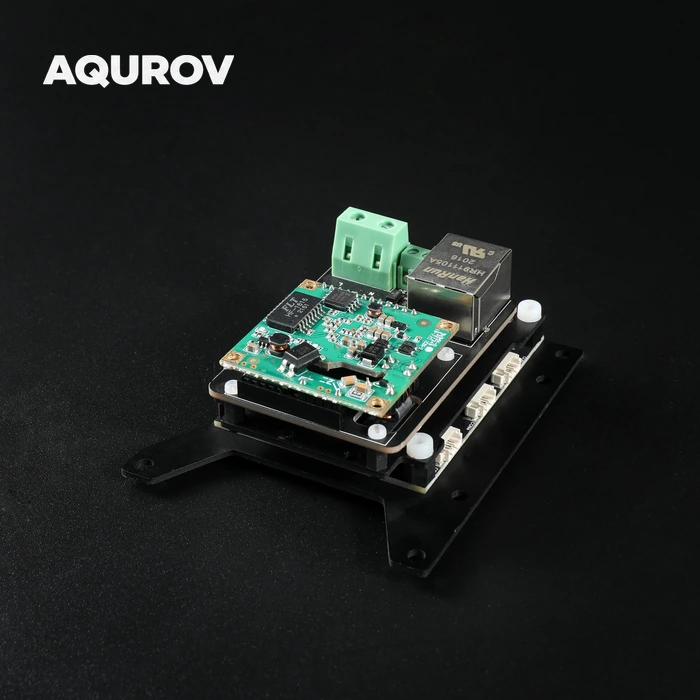
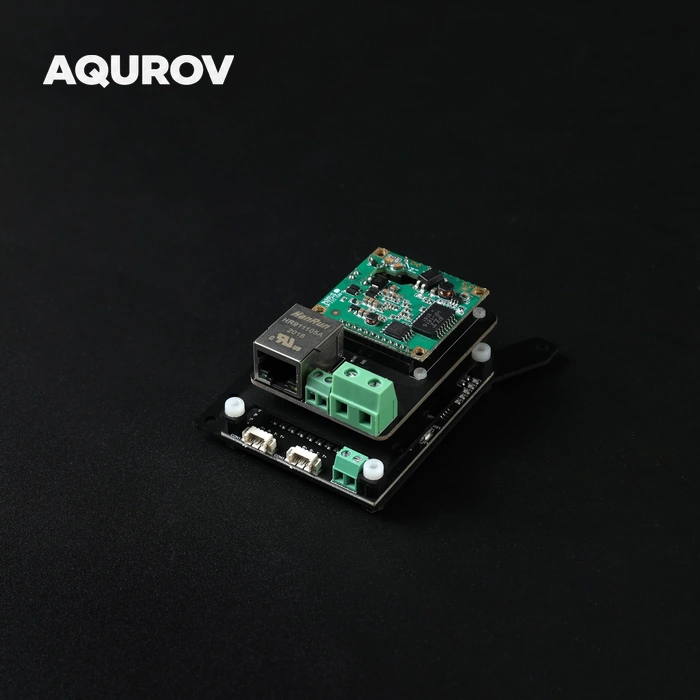
The switch board expands the local Ethernet network inside a vehicle. The combined option adds the tether interface hardware shown in the stacked assembly.
| Component | Switch Board | Switch + Interface |
|---|---|---|
| Five-port switch | Included | Included |
| Tether interface board | Not included | Included |
| Ethernet interfaces on switch | 4 × MX1.25 1 × RJ45 |
4 × MX1.25 1 × RJ45 |
For a tethered build, match the interface board, remote-end hardware and tether type as a complete communication link.
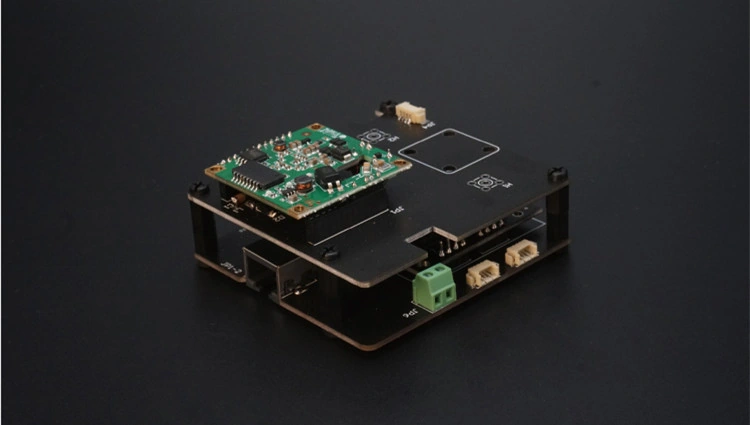
Five Ethernet connections
Physical connectors shown on the actual board
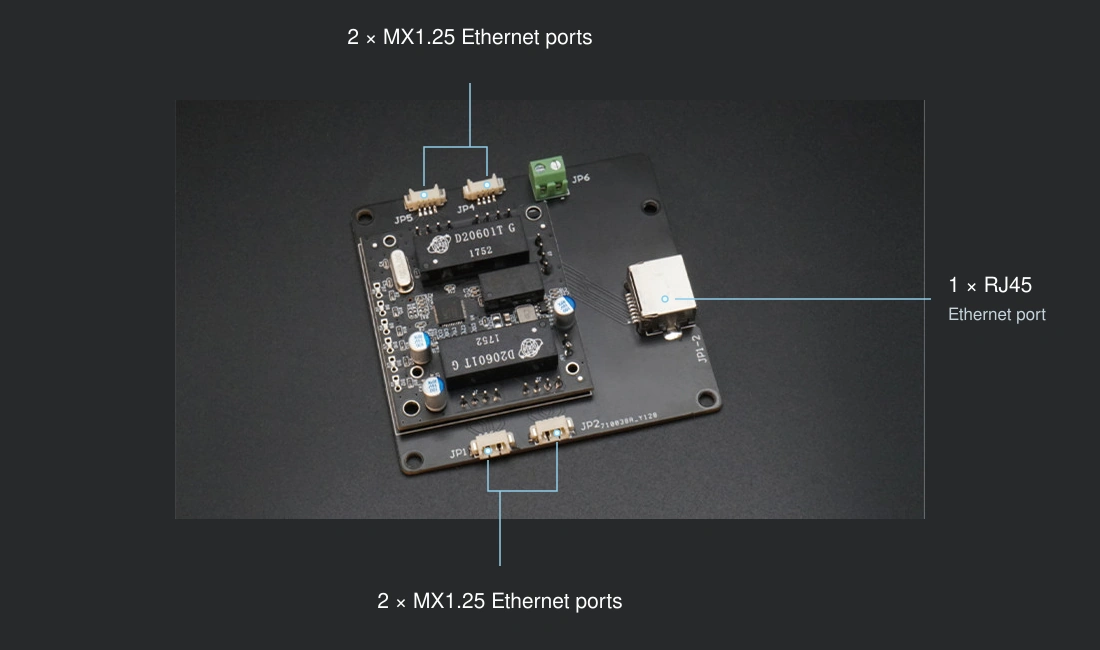
4 × MX1.25 Ethernet ports
Compact connections for internal vehicle cabling and Ethernet accessories.
1 × RJ45 Ethernet port
A standard socket for connecting an Ethernet cable.
10/100 Mbps
Automatic rate negotiation between compatible Ethernet devices.
Technical specifications
Network, electrical and mechanical data
| Ethernet ports | 5 total |
|---|---|
| Connector arrangement | 4 × MX1.25 Ethernet ports + 1 × RJ45 |
| Ethernet rate | 10/100 Mbps |
| Working voltage | 12 V DC |
| Power consumption | Approximately 1 W |
| VLAN support | Not supported |
| Switch operation | Store and forward; MAC address learning; automatic rate negotiation |
| Board footprint | 70 × 74 mm |
|---|---|
| Mounting holes | 4 × Ø3 mm |
| Working temperature | −20 to +85 °C |
| Storage temperature | −40 to +85 °C |
| Drawing height references | 20 mm and 30 mm — see drawing |
| Product options | Switch Board; Switch Board + Tether Interface Board |
Dimensions and mounting
Original engineering drawing · millimetres
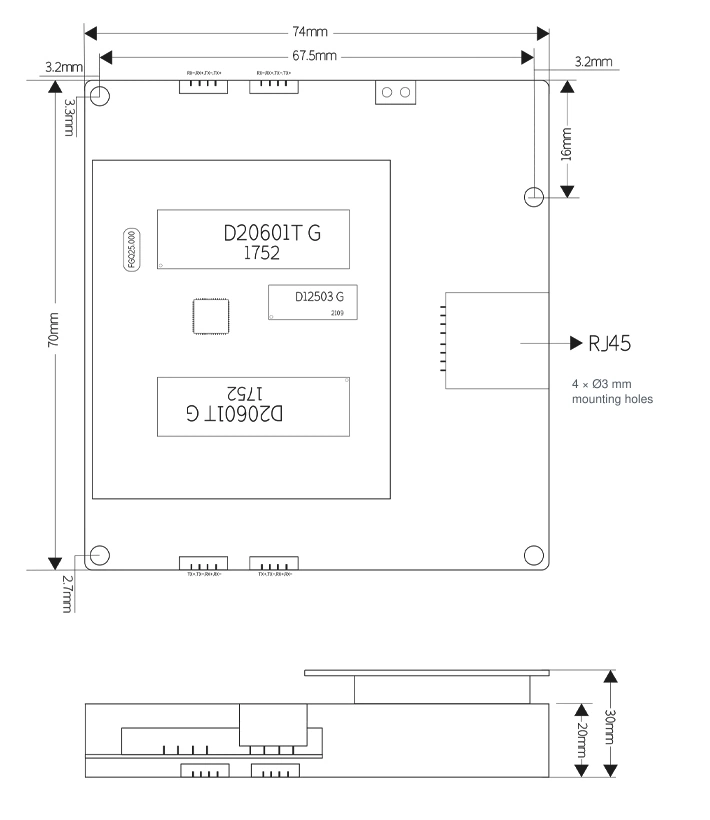
| Board outline | 74 × 70 mm |
|---|---|
| Mounting holes | 4 × Ø3 mm |
| Height references | 20 mm / 30 mm, as shown |
View additional original drawing callouts
| Horizontal callout | 67.5 mm |
|---|---|
| Upper-right vertical callout | 16 mm |
| Edge callouts | 3.2 mm; 3.3 mm; 2.7 mm |
Check the assembled envelope
- Use the full board outline and the original mounting-hole positions when planning a fixture.
- Leave clearance for the RJ45 plug, compact connector housings and cable bends.
- Check the height of the selected assembly against the original drawing before fixing the electronics layout.
- Install the board inside a suitable electronics enclosure, with mechanical support and electrical clearance.
Plan the Ethernet link
From board selection to system check
- Select the board option. Choose Switch Board for Ethernet expansion, or the combined option when the tether interface board is also required.
- Verify power and cabling. Use the documented 12 V working voltage for the switch and verify connector pin assignments before connecting equipment.
- Set up the network devices. The switch itself needs no configuration; cameras, computers and other network devices still need compatible network settings.
- Check the complete system. Confirm power indication, active port indication and data transfer before enclosure assembly and deployment.
Selection and integration FAQ
Practical checks for a vehicle network
Does the switch board alone provide a 300 m tether link?
A complete tether link depends on the interface hardware at both ends and the selected cable. The five-port switch provides Ethernet expansion; the available information does not establish a 300 m link from the switch board alone.
Does it support VLAN configuration?
The original specification lists VLAN support as not supported.
Can I use a PoE camera directly?
The available specification does not define a PoE power-sourcing standard or output for this board. Verify the camera power connection and any external PoE equipment required for the application.
Can I reuse a Blue Robotics Ethernet cable or mounting pattern?
Select and verify the connector pin assignments and mounting layout for this board. The published footprint here is 70 × 74 mm, and the compact Ethernet connectors are listed as MX1.25.
Is the bare board rated for direct water exposure?
Install this board inside suitable protected electronics housing. The product information used here does not provide an immersion or pressure rating for the bare board.
Reviews
There are no reviews yet.